
Price books
Dynamic price books that fit one catalog to every segment
A price book decides what a product costs on a given quote. The hard part was never having books. It’s getting the right one onto the right quote without a rep choosing it, and letting the price inside a bundle change with the book. Quotivity assigns the book automatically and lets bundle and calculated prices flex to it.
The short answer
What is a dynamic price book in HubSpot-native CPQ?
A price book is a set of prices for your products. Dynamic price books resolve the correct one automatically, from the company on the deal, from the deal itself, or from a rule, so a rep never has to know which book a customer belongs to. Prices, including calculated and bundle prices, come from the book that’s assigned, on HubSpot’s own records.
What dynamic price books give you
Pricing in one place
Your prices live in the books, not in a spreadsheet someone updates by hand and emails around. Change a number once and every quote that uses that book is current.
A book per segment
Build and manage separate books for customer segments, regions, teams, or product lines, so each customer is quoted from the prices that apply to them.
Prices that keep up
Adjust a book as the market, your inventory, or your strategy moves, and the next quote reflects it, no rebuild and no reissue.
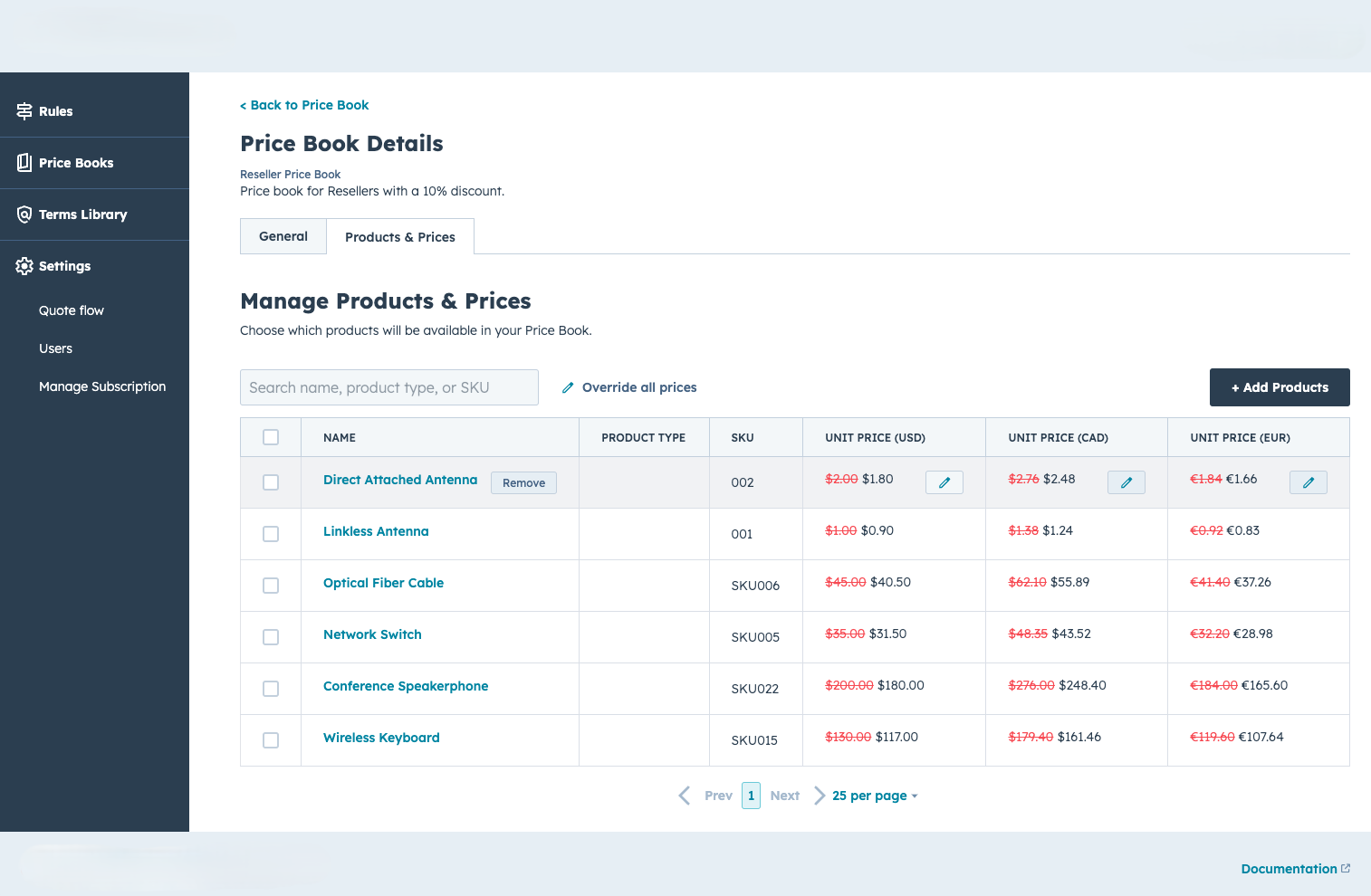
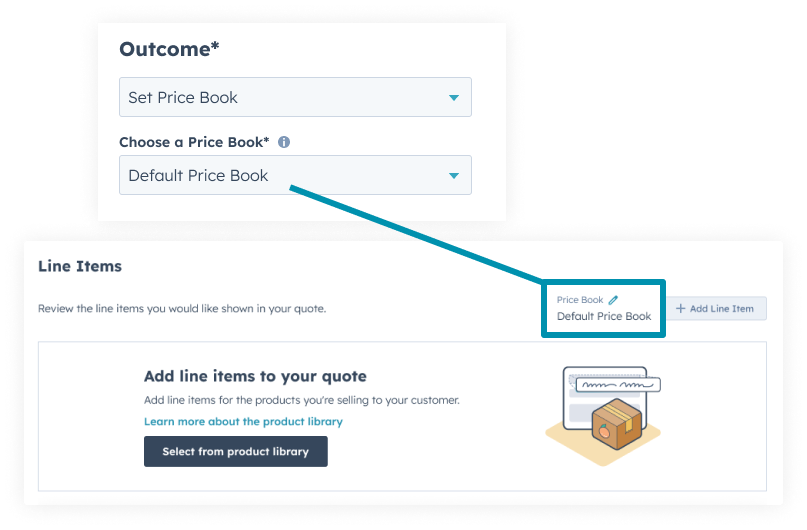
One catalog, prices set per book.
The right book, without the rep picking it
Most pricing mistakes on a quote aren’t discounts. They’re the rep pricing from the wrong list, because the right one lived somewhere they didn’t check. A price book only helps if it’s the one that actually gets used.
Quotivity assigns the book in order: a company can carry its price book, so every deal for that account inherits it. Failing that, the deal can hold one. Failing that, a price rule sets the book based on what’s on the deal. The Rule Builder is where that last step lives: assign a book by location, time of year, or any criteria on the deal. The rep opens the quote and the prices are already the customer’s.

One bundle, priced for the context
Two things flex the price to the book, and they’re worth keeping straight.
Dynamic Bundle Pricing makes the products inside a bundle price-book-aware. The same option can cost one thing in a bundle sold to a distributor and another in a bundle sold direct, from a single bundle definition.
Calculated Pricing Overrides let a standalone product run a different formula per book. That’s the segment and renewal mechanic, covered in full on calculated pricing.
Together they mean one catalog serves distributor, direct, OEM and renewal without a duplicate product for each. One structure, priced by context.
Price books are on both plans. Calculated Pricing, including the per-book override above, is on the Enterprise plan. The numbers are on the pricing page.
You might not need this
If every customer pays off one list, you need a price book, not dynamic ones. This is for teams running real pricing variation (by segment, region, or commercial stage) who are managing it today with duplicate products or a rep’s memory.
It does
- ✓ Assign the correct price book automatically, from company, deal, or rule
- ✓ Flex bundle-option and calculated prices to the assigned book
- ✓ Keep one catalog serving many segments
It doesn’t
- ✗ Apply a calculated-pricing override to an option inside a dynamically-priced bundle. Those are different mechanisms, and admins relying on calculated pricing for bundle options should know that before enabling Dynamic Bundle Pricing. We walk that boundary with you rather than after.
One catalog, and the compliance comes free
Sales reps are incentivized to stick to price book because they can get their deal out the door much faster.
Renée Durrance — RevOps, Aptarro
The compliance most tools fight for is the compliance you get for free when the right price is also the fastest one to reach.
Questions about price books
-
How does a quote get the right price book?
In order: the company’s assigned book, then the deal’s, then a price rule that sets one from deal data. The first that matches wins, and the rep never has to choose.
-
Can one product cost a different amount inside a bundle than on its own?
Yes. A product can be priced only inside a bundle, or carry a different price in the bundle than in the catalog. Dynamic Bundle Pricing makes that price book-aware too.
-
What’s the difference between Dynamic Bundle Pricing and Calculated Pricing Overrides?
Dynamic Bundle Pricing adjusts a bundle option’s price by book. Calculated Pricing Overrides run a different formula on a standalone product by book. One is for bundle components, one is for formula-driven standalone products.
-
Do I need a separate book per segment?
That’s the usual setup, and it’s what lets one catalog serve distributors, direct and renewals. You’re separating price, not duplicating products.
-
Is this native to HubSpot?
Prices resolve on HubSpot’s records. The books and rules are configured in Quotivity Studio; the quote a rep builds and the data it writes live in HubSpot.
One thing to count
Count your duplicate products
The ones that exist only to hold a second price. That’s the number this replaces with one catalog.