
Quote automation
Automated quoting that does the parts reps get wrong
The slow, error-prone parts of a quote are the repetitive ones: line items, taxes, the discount that should have applied, the terms that should have attached. Automation handles those inside HubSpot, so the rep spends time on the customer, not the arithmetic.
The short answer
What is automated quoting in HubSpot-native CPQ?
Automated quoting builds the mechanical parts of a quote for the rep, applying pricing, discounts, taxes, and terms as line items are added, on HubSpot’s own records. It’s the layer that takes structured inputs (a rep’s selections, guided-selling answers, price rules) and turns them into a finished, consistent quote without manual re-entry.
What the automation is worth
Dynamic quoting reads the deal, customer, and region your team already tracks and sets pricing, discounts, and fees from it, so a rep isn’t rebuilding any of that by hand. Price screening catches a quote that falls outside your rules or margins before it reaches the customer, not after finance finds it. The point is a quote that’s fast because it’s automated and accurate because it followed your rules, rather than one at the cost of the other.
What automation handles for the rep
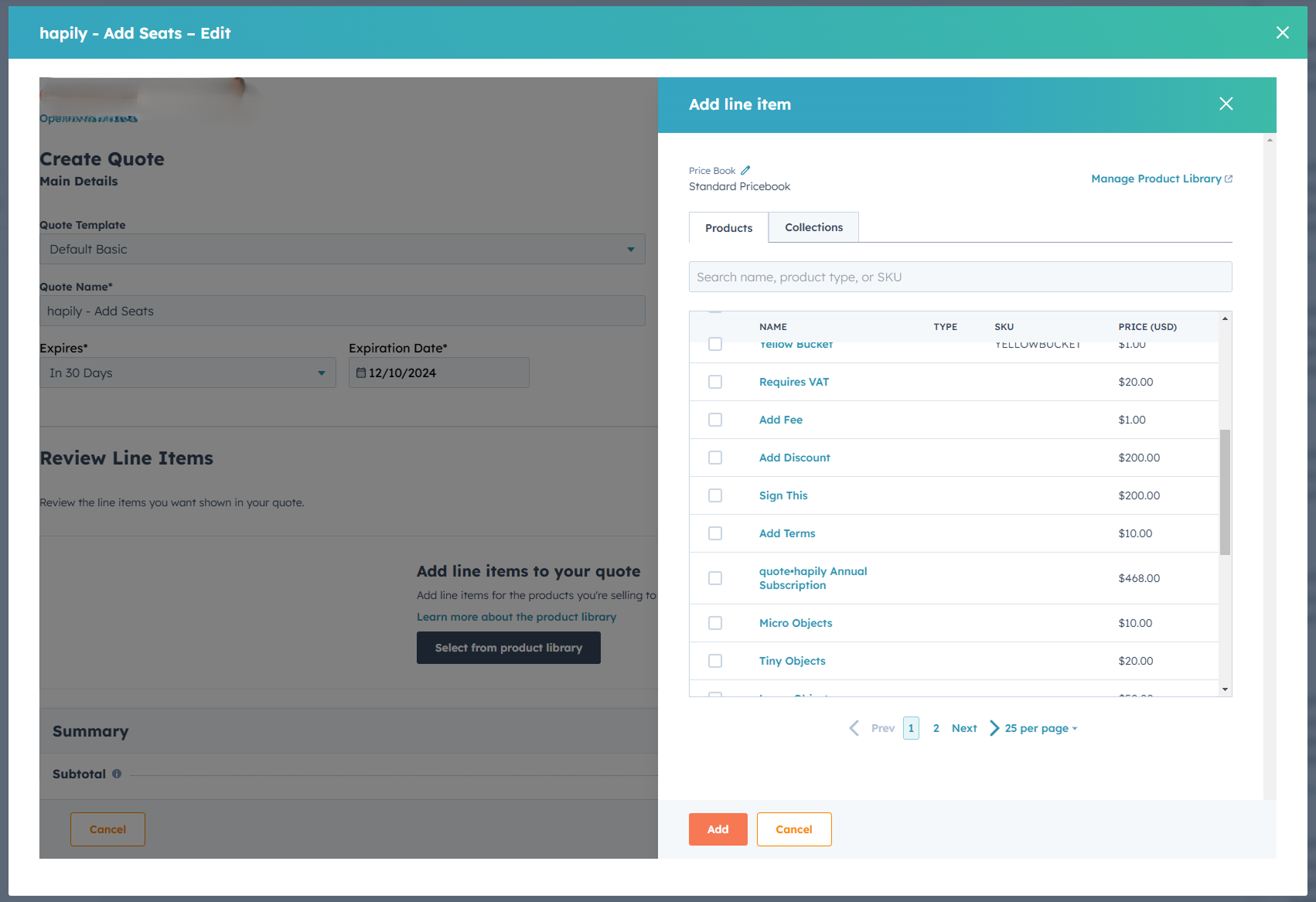
Add line items from your library
Pull products straight from your product library instead of hunting through a spreadsheet or copying details, so a quote comes together in clicks rather than retyping.
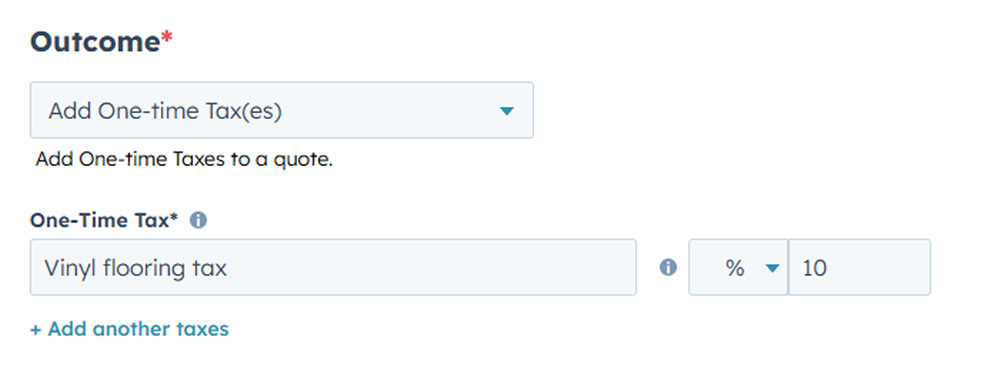
Fees and taxes, on their own
State, local, or VAT calculate and apply instantly, so the right tax lands on every quote without anyone checking a table. Discounts your rules call for apply the same way, so a deal stays competitive without cutting into margin by accident.
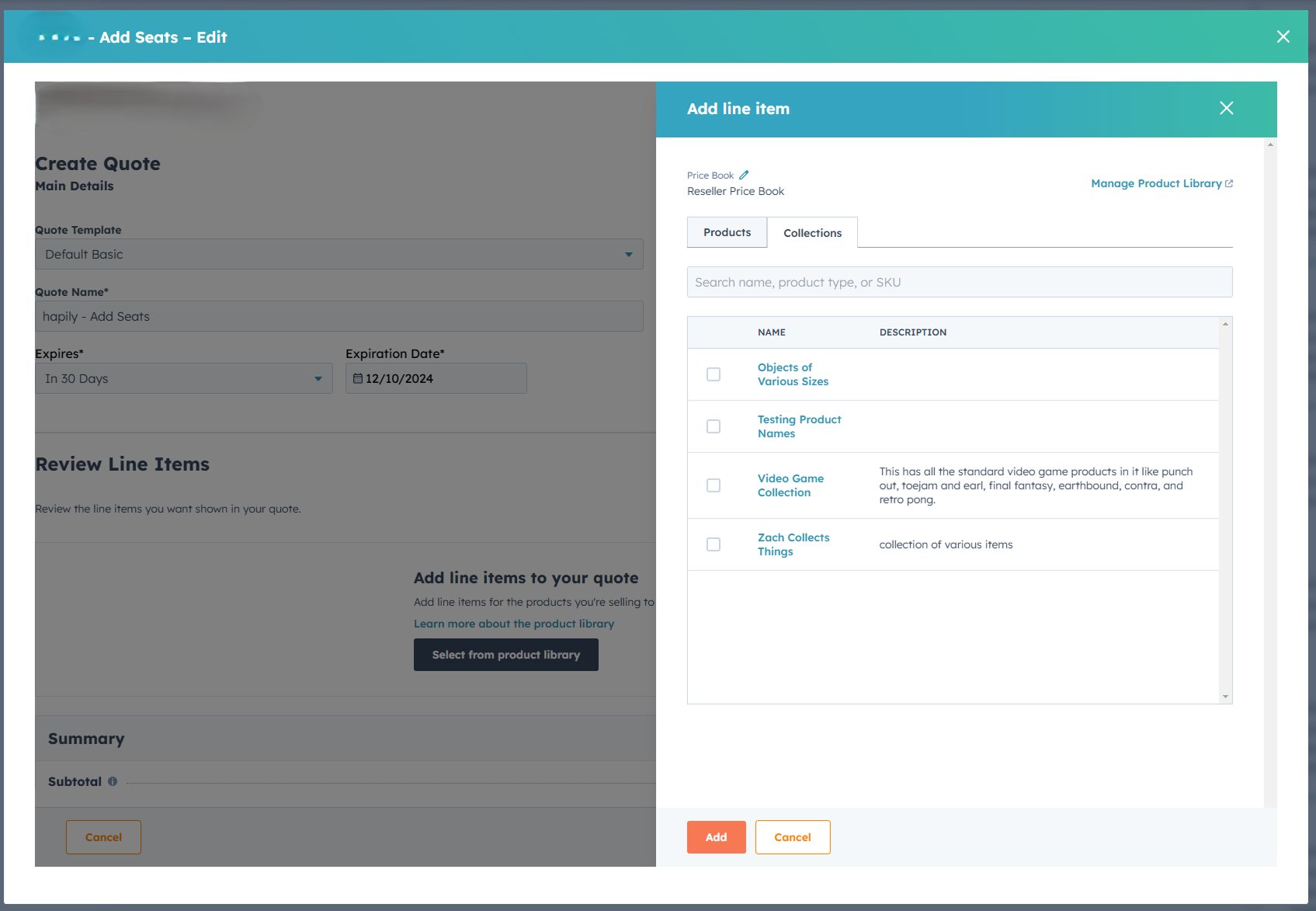
Whole collections at once
Selling a bundle drops in every item with one click instead of line by line, and each line lands ready: fields updated from the rule logic, terms like an expiration date already attached.
Where the inputs come from
Automation is only as good as what feeds it. Two things feed this. Guided selling turns a discovery conversation into structured answers that write back to HubSpot. Price rules turn those answers and the deal’s data into the correct pricing. Quote automation is what assembles the result. Together they mean a rep answers questions and reviews a quote, instead of building one from a blank page.
You might not need this
If your quotes are three line items off a short list, automation saves seconds, not hours, and native quoting already gives you that. This is for teams whose quotes have enough moving parts (taxes, tiered discounts, optional items, terms) that doing them by hand is where the errors and the delay actually live.
It does
- ✓ Populate line items, apply taxes and fees, apply rule-driven discounts, and attach terms as the quote is built
- ✓ Keep it consistent across reps and quotes
It doesn’t
- ✗ Decide what to sell. Automation runs the logic you set; it won’t invent pricing or fix a product catalog that isn’t modeled.
- ✗ Change how a bundle prices its own components, which follow the bundle’s own rules rather than a line-item discount. Garbage in still comes out fast, just faster.
Negotiation cycle went from 29 days to 6.
Aptarro
Most of that time was never negotiation. It was the quote itself moving between people. Take the manual assembly out and the calendar gets shorter before anyone changes how they sell.
Questions about automated quoting
-
What’s the difference between quote automation and guided selling?
Guided selling is the discovery step: it asks the questions that decide what belongs on the quote. Automation is the assembly step: it takes those answers, and the price rules, and builds the quote. One works out what to quote, the other builds it.
-
How does dynamic quoting work in HubSpot?
As a rep adds products, Quotivity applies the price rules, taxes, and discounts tied to that deal on HubSpot’s records, updating line items as the quote changes. The quote stays current without a rebuild.
-
Can Quotivity set quote expiration dates automatically?
Yes. Quote-level terms, including expiration, can be applied by rule so every quote carries them consistently instead of depending on a rep to set one.
-
Does automation replace the rep’s judgment?
No. It removes the mechanical work so the rep’s time goes to the conversation and the configuration decisions that actually need a person.
One thing to try
Time one of your real quotes end to end
Then find the minutes that were typing, not deciding. That’s what this gives back.