Your buyers start the quote. Your rules finish it.

Buyers request quotes on your website whenever they’re ready. Each request arrives in HubSpot as a deal with the quote already priced by your own rules, so your team reviews quotes instead of building them from scratch.

A paid add-on to Quotivity Enterprise.

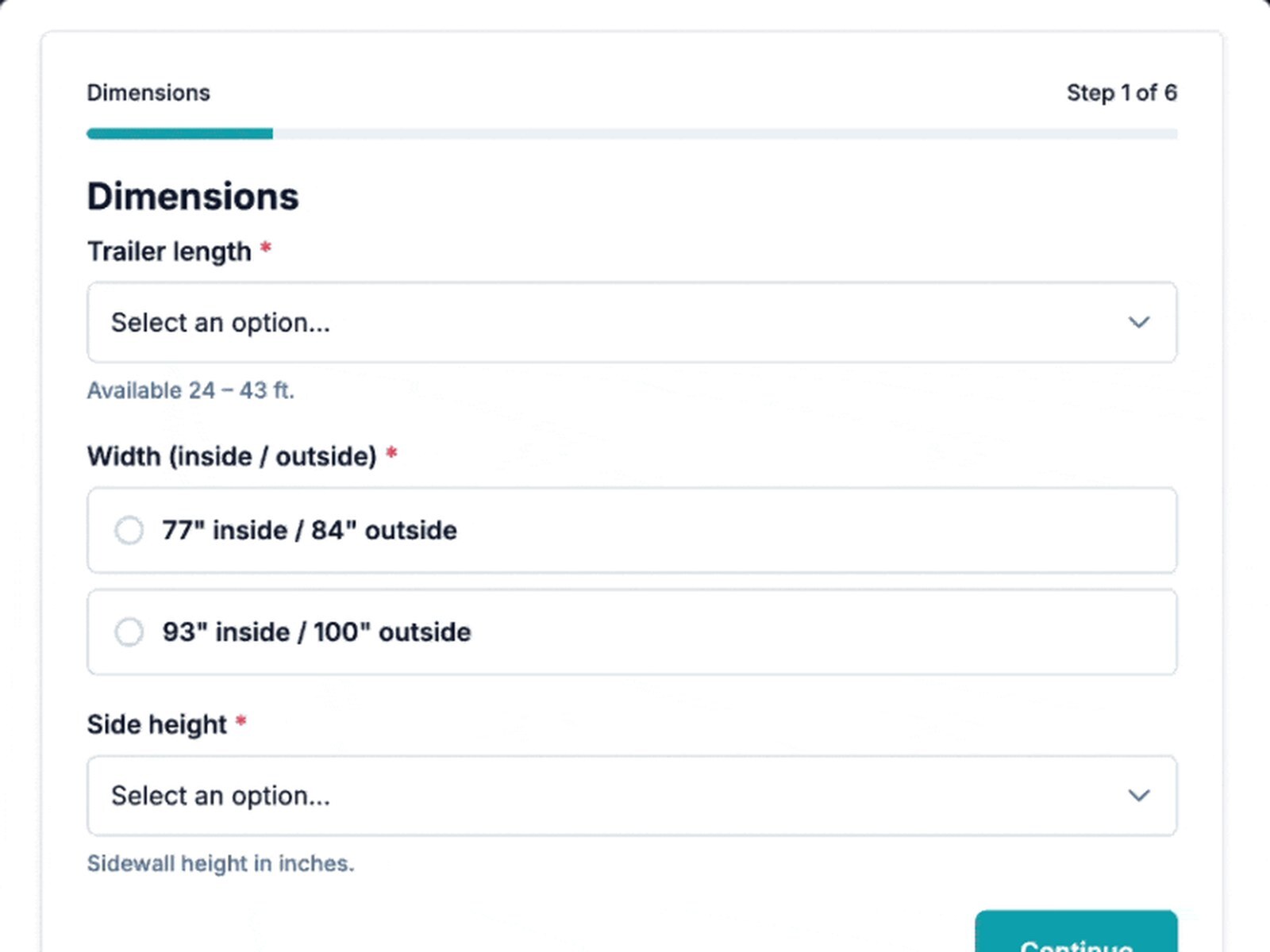
A live Website RFQ on a trailer builder’s site. Branching questions, no login, every answer lands in HubSpot.

What is Website RFQs?

Website RFQs is a Quotivity feature that lets buyers request a quote on your website by answering the questions your reps would ask. Each request becomes a HubSpot deal with a quote priced by your Quote Rules.

What it looks like

Picture a manufacturer of commercial walk-in coolers with about 40 dealers. A dealer needs a quote late on a Friday: box size, temperature range, door count and a PO number. Today that request waits in an inbox until Monday.

With Website RFQs, the dealer answers those questions on the manufacturer’s website and submits. The deal is in HubSpot under the dealer’s company, with that dealer’s price book applied, before they close the browser tab. On Monday morning the rep reviews a quote that’s already built.
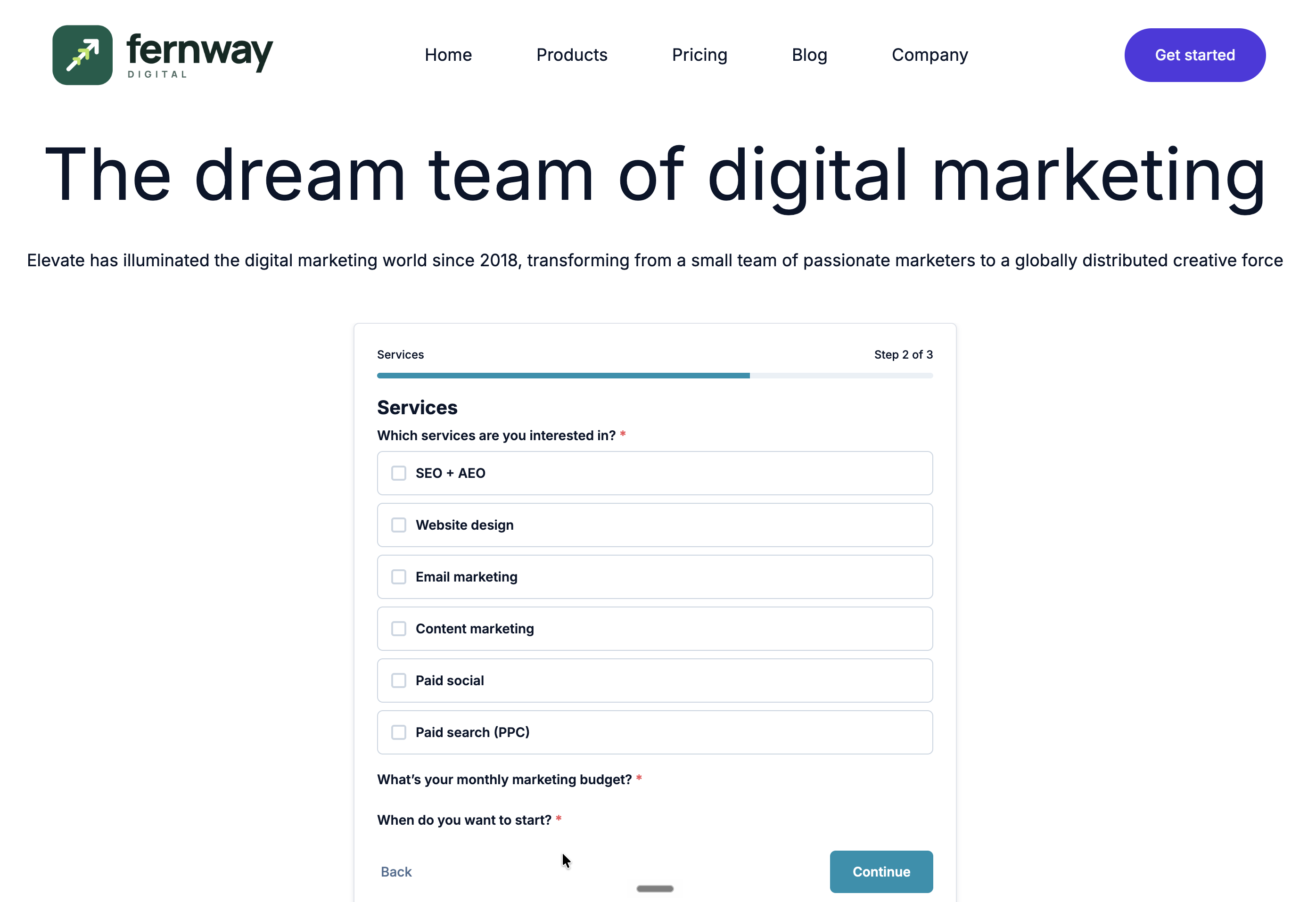
image-png-Nov-01-2026-06-23-44-8756-PM

Step by step

How a request becomes a quote

Step 1

The Website RFQ form on a trailer builder’s site, step 1 of 6: trailer length, width and side height

The buyer requests a quote on your website

Any time of day, without waiting on inside sales.

Step 2
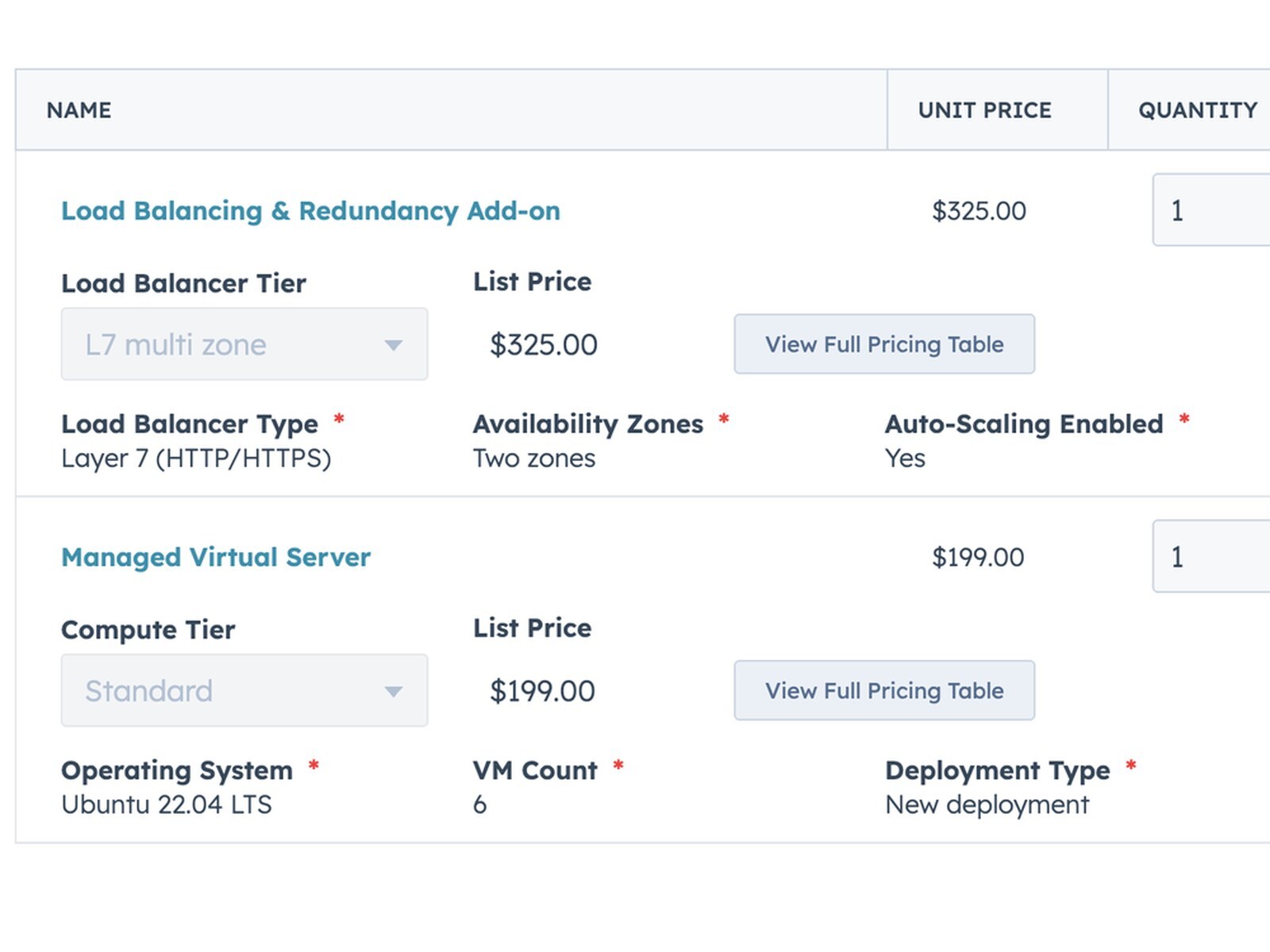
Quote line items in HubSpot, already priced, with each product’s configured attributes on the line

The deal shows up in HubSpot, already priced

It sits on the buyer's company, with every detail your team needs.

Step 3
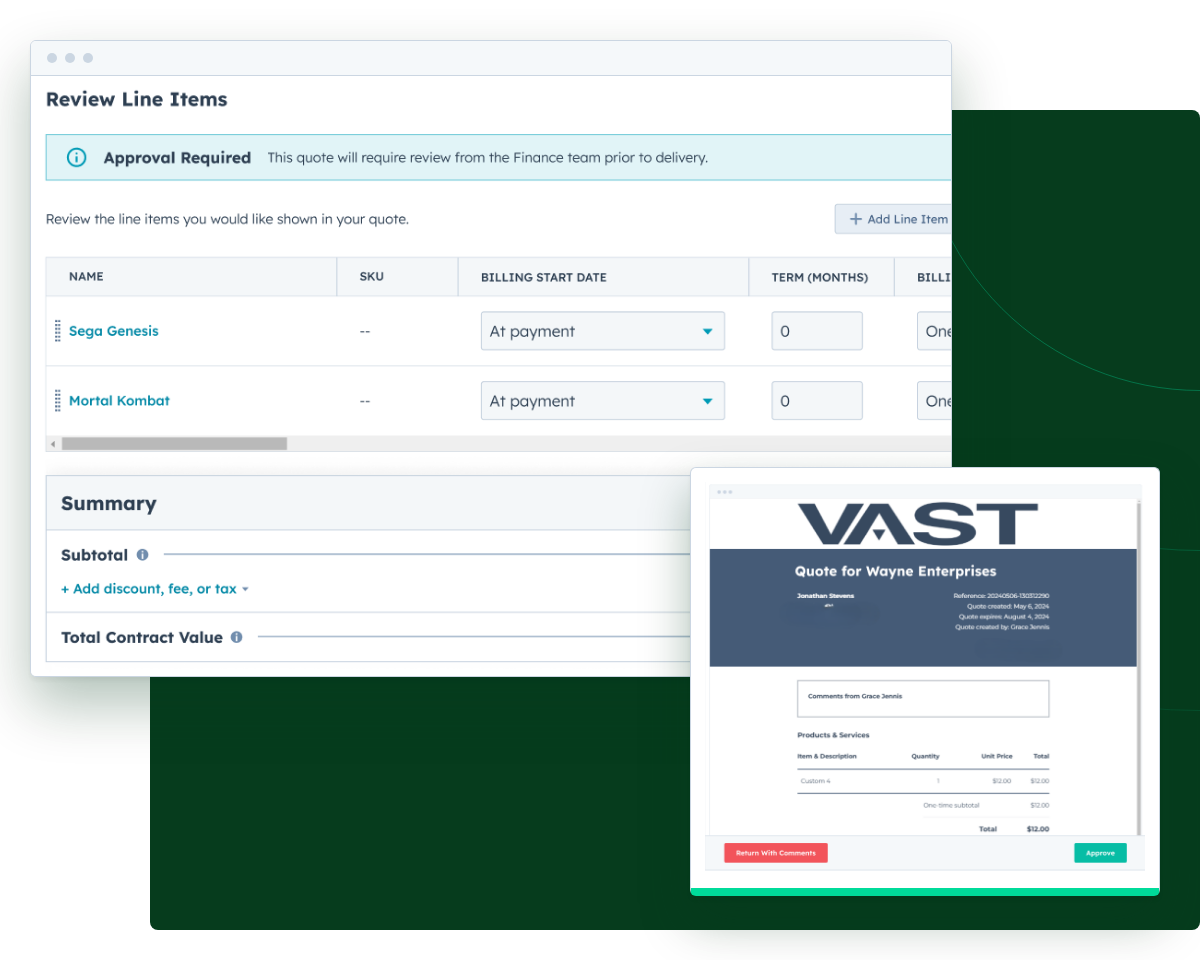
A quote flagged for approval in Quotivity, and the approver’s review with Approve and Return options

Your team decides what’s next

A rep adds finishing touches, or the quote goes straight to approval.

1. Buyer completes the RFQ form on your website. 2. Quotivity builds a complete quote priced by your rules. 3. Either your rep is notified to review and fine-tune the quote, or it is submitted for approval. 4. The approved quote is sent to your buyer. STEP 1 Buyer completes the RFQ form On your website, whenever they're ready. STEP 2 Quotivity builds the quote Complete and priced by your rules, on a HubSpot deal. STEP 3 · OPTION A Rep reviews and fine-tunes Your rep is notified to add finishing touches. STEP 3 · OPTION B Submit for approval The quote goes straight to your approvers. STEP 4 Send the approved quote Your buyer gets the approved quote from HubSpot. or

A sales leader at his laptop, pen in hand

Faster response

Sales leaders

Buyer requests stop waiting in an inbox, and reps spend their day selling.

A RevOps admin working at a laptop

Clean data

RevOps & HubSpot admins

Every request arrives as a native HubSpot deal, built from the questions and pricing rules you already maintain.

An approver reading a quote on screen

Fewer fixes

Approvers

Quotes reach them priced by your rules, so fewer come back for basic fixes.

A buyer filling in a request on her laptop, on her own schedule

On their schedule

Buyers

They get a quote started whenever they’re ready, with a reference number to follow up with.

Questions we get

See an RFQ become a quote

Bring a quote request that took too long to quote. We’ll show you how it would arrive in HubSpot.