

Skip to content

Keep Quotes Compliant with CPQ Price Rules in HubSpot

Give your team a rules engine that protects margin, enforces custom pricing, and keeps every quote aligned with your CPQ pricing rules inside HubSpot.

Want to see how to set up a price rule in CPQ without leaving HubSpot? We’ll walk you through a real quoting workflow

See CPQ Price Rules in Action

Why Use CPQ Pricing Rules for Quotes?

Price rules in CPQ help teams control how quotes are built, priced, approved, and sent. Instead of asking reps to remember custom prices, discount limits, or approval steps, Quotivity applies the rules as the quote is created.

Automatic CPQ price rules

Zip Through Approvals

Use CPQ price rules to route quotes for approval when a rep changes a custom price, applies a large discount, or selects a product that needs review.

flexible pricing example

Speed to Signature

Quotivity applies the right custom pricing automatically. So if a customer qualifies for regional pricing, volume pricing, or a special negotiated rate, the rep doesn't have to rebuild the quote by hand.

Compliance - pricing waterfall

Enhanced Compliance

Use CPQ pricing rules to control each step in the pricing waterfall, including list price, discounts, fees, special pricing, approvals, and final quote totals.

Build CPQ Price Rules from HubSpot Data, Custom Objects, and Special Fields

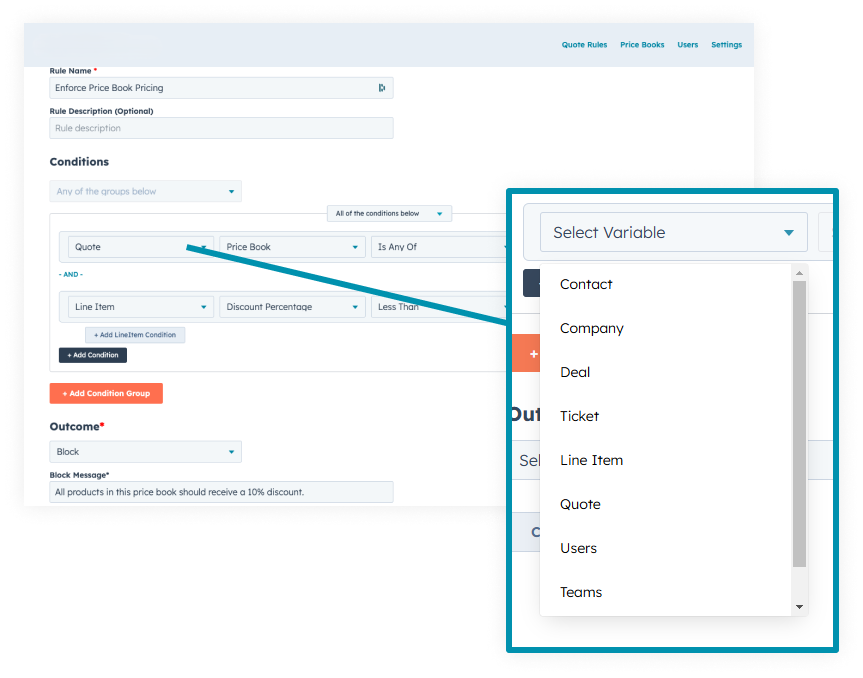
Use HubSpot data, Custom Objects, and CPQ special fields to drive custom pricing rules based on customer type, product selection, region, contract terms, deal size, or any quote detail your team needs.

That gives your team a controlled way to manage custom prices without letting every rep make their own pricing workaround.

CPQ special fields
cpq price rule calculation loop

Set Outcomes for Every CPQ Price Rule

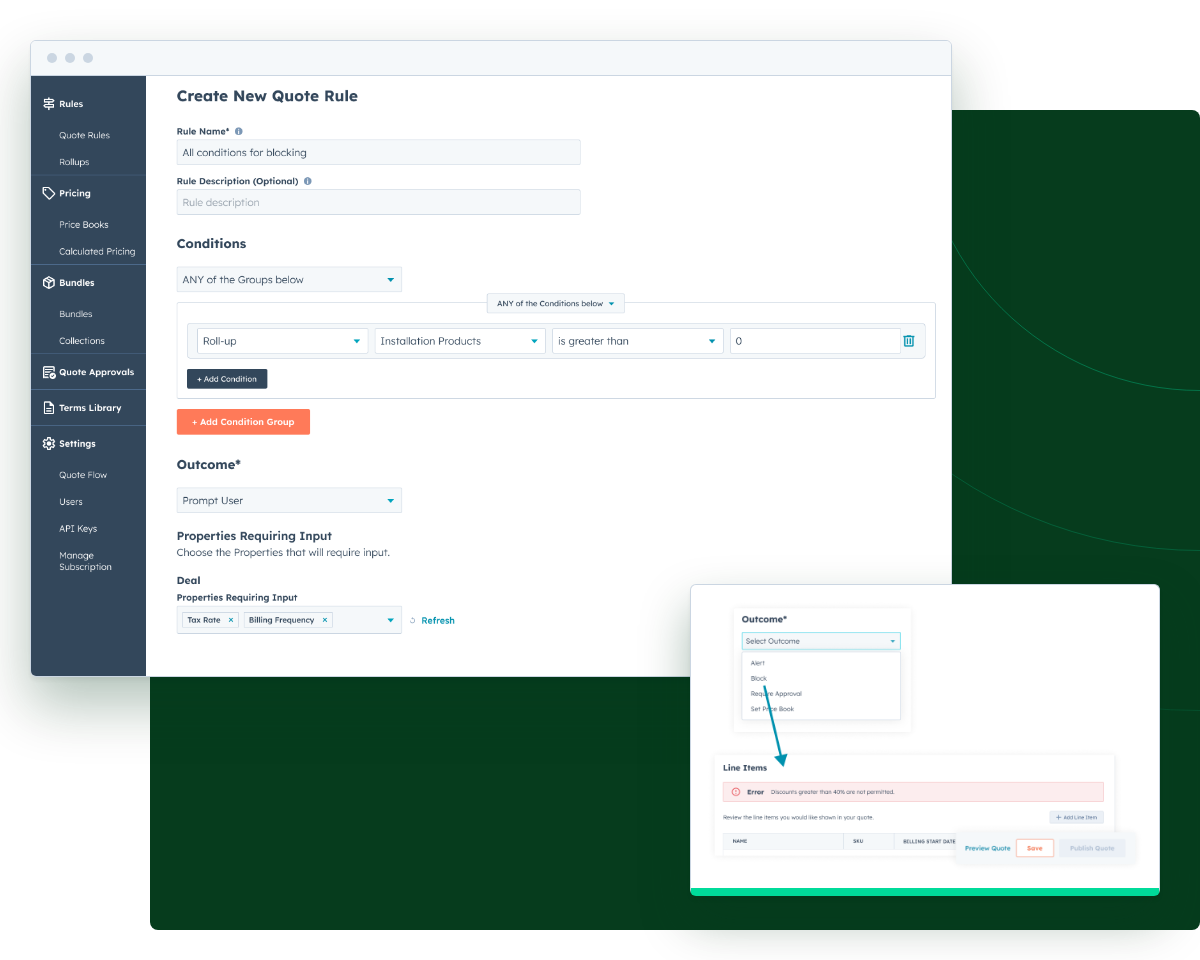
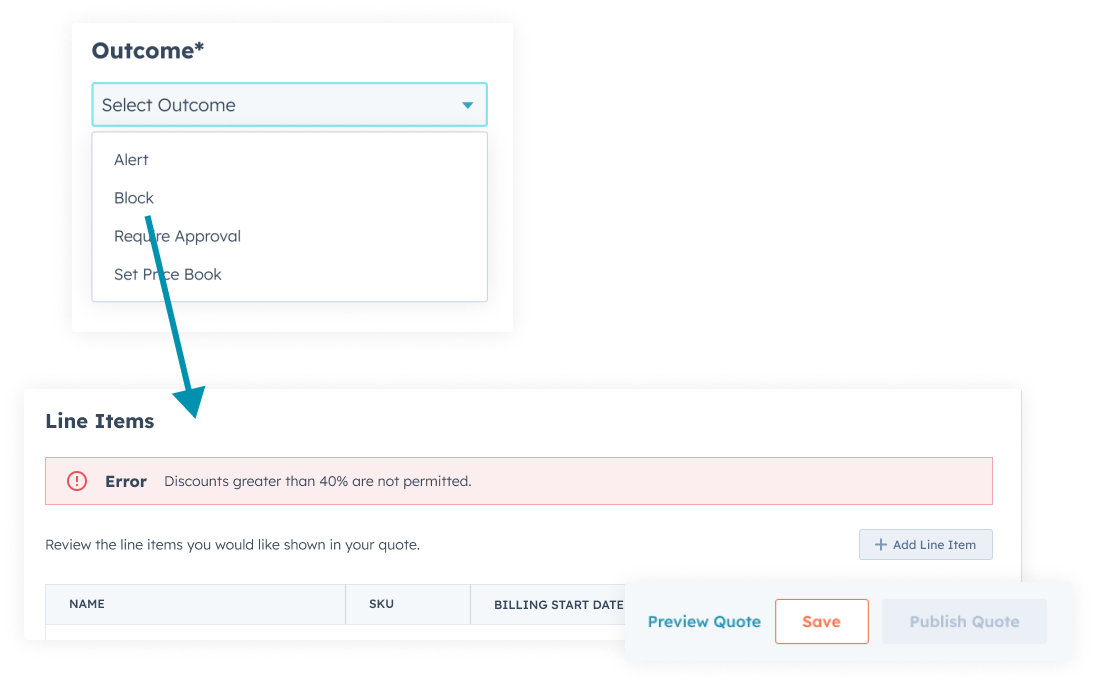
Define what happens when a price rule is triggered, whether that means updating a field, requiring approval, changing a discount, applying a fee, or stopping a quote that falls outside your rules.

For teams with more complex logic, Quotivity helps reduce the need for a messy CPQ price rule calculation loop by keeping rule outcomes clear, controlled, and tied to quote data.

Make Critical Information Mandatory (Or Not)

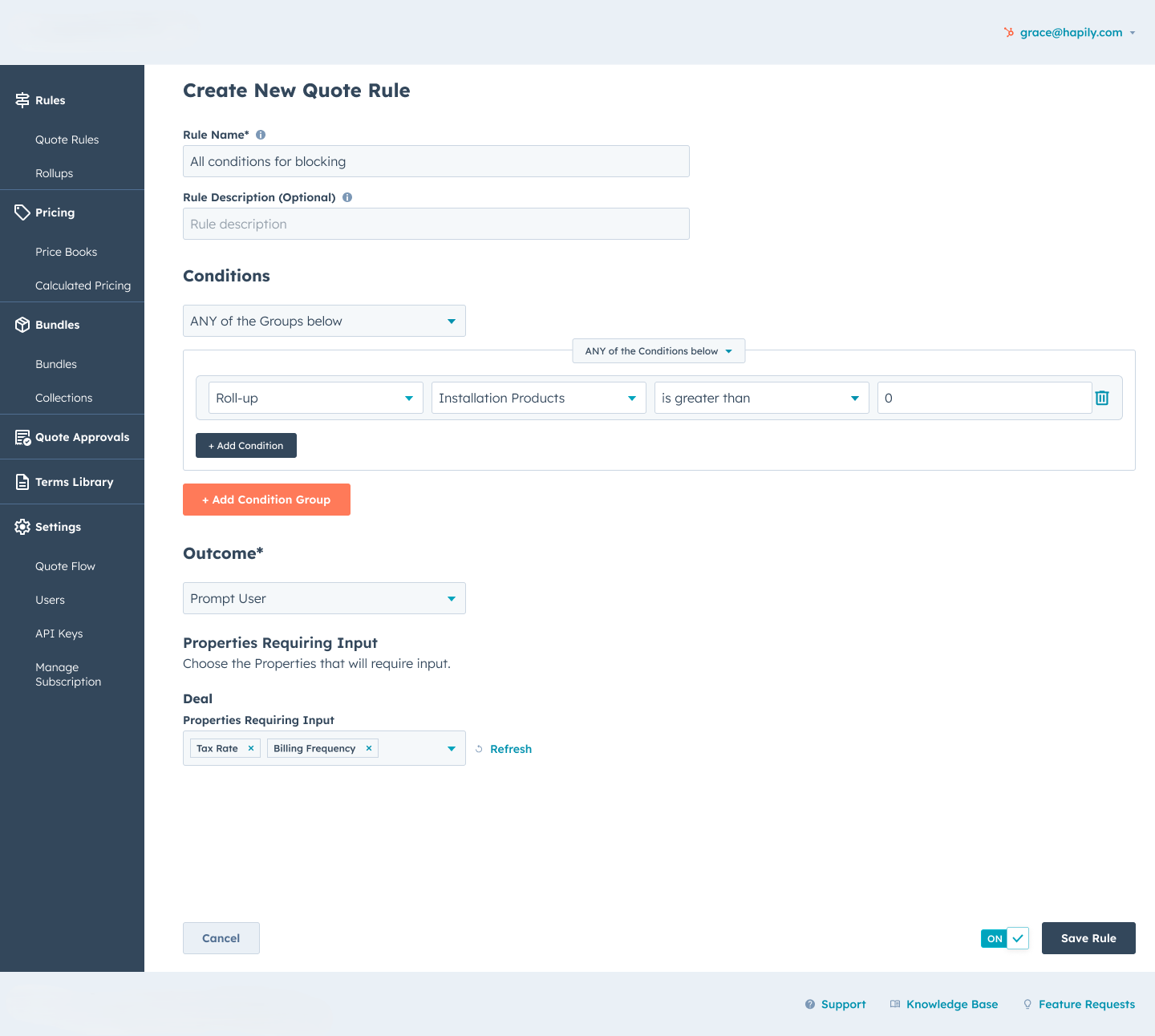
Make the right CPQ special fields required when they matter. For example, Quotivity can prompt reps for service dates, PO numbers, billing frequency, optional pricing details, or on-site contacts based on the products, deal size, or custom logic in the quote.

Prompt Reps for the Right CPQ Special Fields at the Right Time

CPQ Price Rules Examples for Complex Pricing

A CPQ price rule can do more than change a number on a quote. It can apply custom pricing for a specific customer, require approval when a discount crosses a threshold, add fees based on region, or prompt reps for special fields before the quote can move forward. This gives RevOps and finance more control without slowing down every deal.

Frequently Asked Questions About CPQ Price Rules

What is optional pricing?

Optional pricing is pricing tied to optional products, add-ons, services, or quote choices.

In CPQ, optional pricing helps reps include or exclude those items while still applying the right rules, discounts, and approvals.

How do you set up a price rule in CPQ?

To set up a price rule in CPQ, define the condition, choose the data that should trigger the rule, set the outcome, and test the quote workflow.

In Quotivity, those rules can be tied to HubSpot data, products, deal fields, Custom Objects, approvals, and pricing logic.

What is a CPQ price rule calculation loop?

A CPQ price rule calculation loop happens when pricing logic keeps recalculating because rules depend on each other or trigger in the wrong order.

Clear rule conditions and controlled outcomes help prevent pricing changes from becoming hard to manage.

How does a pricing waterfall work in CPQ?

A pricing waterfall shows how a quote moves from list price to final price after discounts, fees, adjustments, approvals, and custom pricing rules are applied.

CPQ pricing rules help control each step so reps do not have to calculate it manually.

HubSpot-Native CPQ Pricing Rules Where Reps Actually Work

Quotivity brings CPQ pricing rules, custom pricing logic, approvals, and quote controls into HubSpot so reps can build accurate quotes without switching systems or relying on spreadsheets.

HubSpot-Native CPQ Pricing Rules That Work Where Reps Work
Q


See How CPQ Price Rules Work in HubSpot

We’ll show you how to set up a price rule in CPQ, apply custom pricing, trigger approvals, and keep quotes controlled from the deal record.