
Compatibility rules
Compatibility rules that stop invalid configurations before they reach a HubSpot quote
The combinations your best rep keeps in their head, written down once and enforced while the quote gets built.
At Watershape, a simple proposal went from 30 minutes to 3.
The short answer
What are compatibility rules in CPQ?
Compatibility rules are conditional constraints that remove product options based on the attributes of options already selected. Say a base unit runs on 480V. The rules take every 240V accessory out of what the rep can choose, on the quote, as they configure. They evaluate product properties, so a single rule governs a whole class of products at once. In Quotivity they run inside HubSpot, on HubSpot’s own line-item records. An invalid combination can’t be selected.
Every manufacturer has this person
They know which motor goes with which frame. They know what the customer always forgets to order, and they know it because they’ve watched it come back.
We’ve got one guy in the company that controls all the bolts.
A manager at PowerTurf — a New Zealand distributor of turf maintenance equipment and golf carts, carrying eight machinery lines plus parts and servicing
That works until they’re out. It works until you hire three more reps and quoting becomes the thing that limits how fast the business can grow.
Three things compatibility rules give you
Fewer things a rep has to know
They don’t learn which parts go together. The options that can’t be selected aren’t on the screen, so there’s nothing to remember and nothing to look up.
One bundle covers many configurations
Instead of building a separate bundle for every valid combination, a handful of smart bundles carry the catalog. Rules read product properties, so one rule holds for every SKU carrying that property.
Errors caught before the quote
An invalid configuration never reaches manufacturing, because it never reaches the quote. The rep finds out at the moment they’d have made the mistake.
Rules live on the bundle
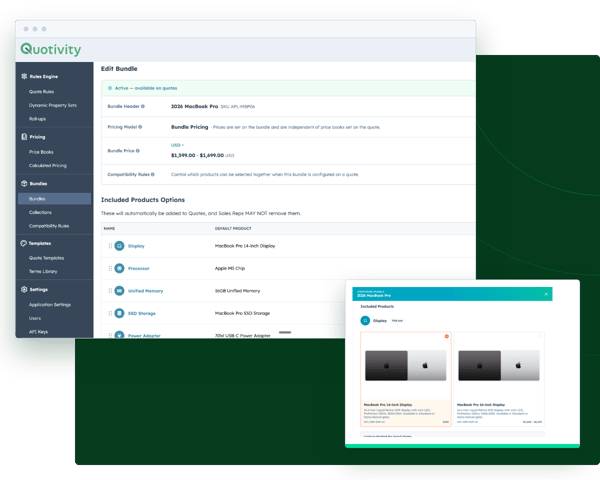
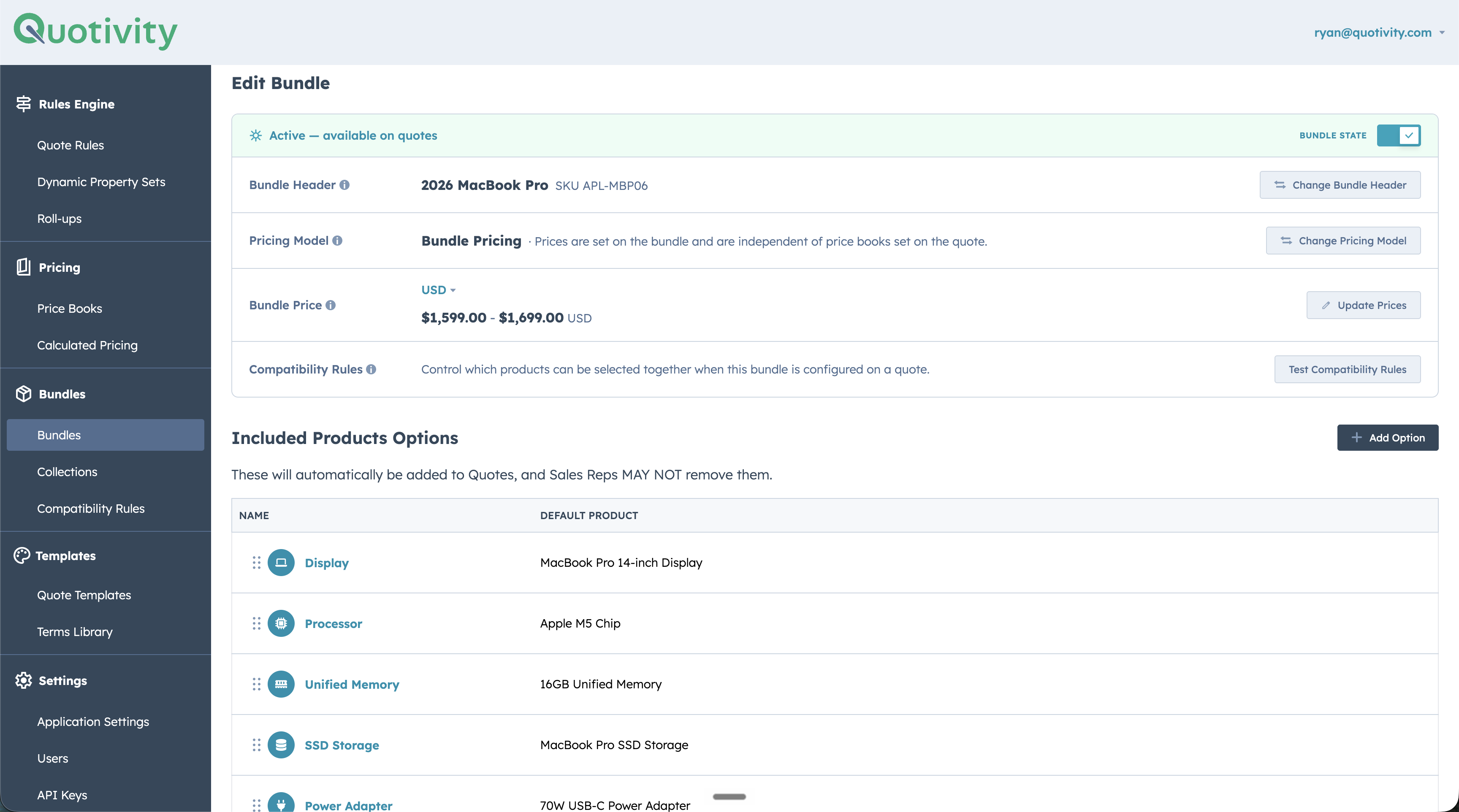
A bundle option panel has two tabs: the products in that option, and the rules acting on them. Pick a product from the Selected Option Product dropdown and the list narrows to the rules where it is either the trigger or the thing excluded, so you see what already governs a product before you add another rule to it. Every rule across every bundle is also listed in one place in the left nav, which is the view you want when you have inherited a rule set.
A rule is a name, a priority, an IF and a THEN, both halves written against product properties. Priority decides which rule wins when two overlap. And Quotivity writes the finished rule back in English as you build it — If (hole_shape is ‘round’), then (peg_shape is ‘square’) cannot be selected — so the person who knows the products can check it without knowing the system.


What the rep sees is a shorter list
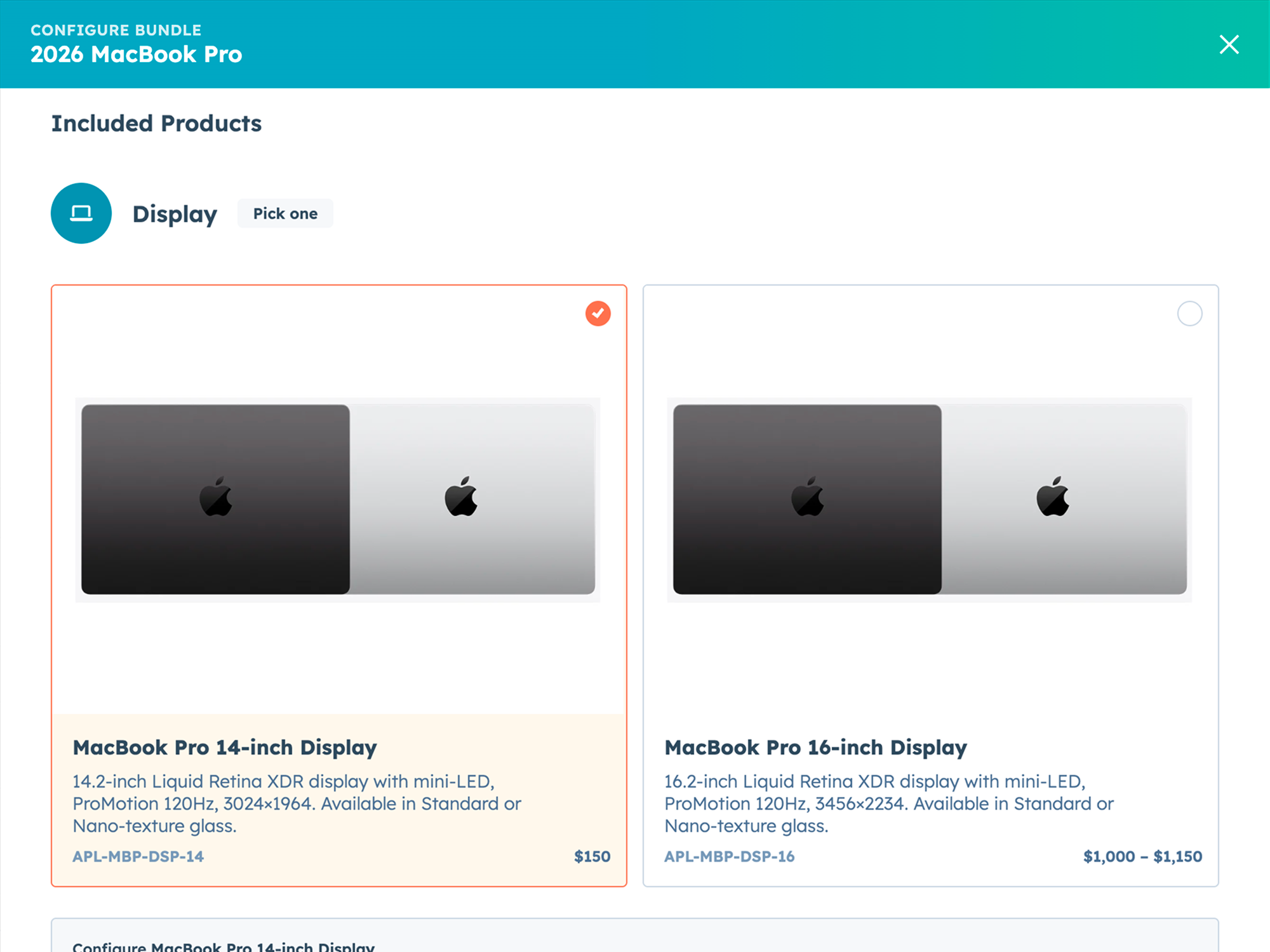
The rep opens the configurator and picks from what’s valid. Say a rule excludes the upgraded processor whenever the display is under 15 inches. On a 14-inch configuration the processor simply is not in the list.
Rules resolve per bundle instance, not per quote. Put two of the same bundle on one deal, a 14-inch and a 16-inch, and each evaluates against its own selections. The processor is there on one and gone from the other, with nobody reviewing the quote by hand.
Attributes, not SKU pairs
The naive version of this is a list of forbidden combinations: product A can’t go with product B. It holds until you have 400 products, at which point the list runs to roughly 80,000 pairs and nobody maintains it.
The other naive version is a bundle per valid configuration. That collapses the same way — a catalog with real variation needs hundreds of them, and every catalog change means revisiting the ones it touched.
Compatibility Rules works on properties instead. Voltage, material, dimension class, mount type, defined once through Dynamic Property Sets, then written as rules about the property. Add a SKU carrying the same properties and the existing rules already cover it, because they were never about that SKU.
Rules teams write in the first week
- ✓ Take every 240V accessory off the list once a 480V base unit is selected.
- ✓ Remove the oversized header from any configuration where the frame class is compact.
- ✓ Drop the upgraded processor from the options when the smaller display is picked.
- ✓ Hide the parts that only fit last generation’s chassis, without deleting them from the catalog.
Each one is written against a property, so it holds for every product carrying that property rather than for the four SKUs you had in mind when you wrote it.
HubSpot has quote rules now
HubSpot shipped quote rules to general availability around 31 July 2026, on Revenue Hub Enterprise. If you’re on Professional today, that’s the tier you’d be upgrading to for them.
They act on the quote. Compatibility Rules acts on the products inside it. Different scope, different job.
So the upgrade buys you rules. Native product grouping still puts every option in the bundle in front of the rep, and it doesn’t take the wrong ones away.
Don’t buy this if nobody can name the last one
Ask whoever runs quoting to name the last configuration that got sold and couldn’t be built. If nobody can, you don’t have this problem and you shouldn’t pay to solve it. Compatibility Rules earns its keep where a wrong combination becomes a manufacturing error or a job that has to be redone. Where it becomes an awkward email, native product grouping is already enough.
Then there’s the timeline, and the software is the fast half. Somebody who understands the products has to sit down and write the rules the first time, and that extraction is the longest thing in onboarding. If the person who knows all the combinations can’t give you a few days, wait until they can.
It does
- ✓ Remove invalid options while the rep configures, live on the quote
- ✓ Apply across a product class through properties rather than SKU pairs
- ✓ Resolve independently for every bundle instance
- ✓ Render each rule as a plain-language sentence you can review
It doesn’t
- ✗ Change what a bundle contains. Rules narrow the options a bundle already offers; turn one off and whatever it was hiding comes back.
- ✗ Price anything. That’s price books and calculated pricing.
Thirty minutes to three
Watershape runs roughly 2,000 SKUs of professional services through Quotivity. Compatibility rules are one piece of that setup, and here is what the whole of it did to their quoting time:
Simple proposals that required 30 minutes are down to 3 minutes. Complex proposals that required 90 minutes or longer are down to 10-15 minutes.
D. Peterson, Watershape. Published on the HubSpot marketplace.
Questions we get on the first call
It depends almost entirely on how much of your product logic is already written down somewhere. Configuring the system is the short part; onboarding is built around the long part.
Route it through approvals. An exception that’s visible is a decision. An exception a rep makes quietly is a defect you find later.
The opposite. Fewer valid options means fewer decisions, and no rework when engineering rejects the configuration.
If the new product carries the same attributes as existing ones, your rules already apply. That’s the whole reason they’re written on attributes.
The one with the higher priority number governs, and you set that number when you write the rule.
Enterprise. The pricing page has the plan numbers.
One thing to bring
Show us something that can’t be built
Bring a configuration a rep got wrong. We’ll write the rule that would have stopped it.