
Rules engine
CPQ price rules that build the quote right the first time
Compliance usually fights speed. Rules make the compliant quote the fast one: valid prices, discount limits, and approval steps applied while the rep works, not caught after they’ve sent.
The short answer
What is a price rule in HubSpot-native CPQ?
A price rule controls how a quote is built, priced, approved, and sent. Instead of asking a rep to remember custom prices, discount ceilings, or when something needs sign-off, Quotivity applies the rule as the quote is created, reading HubSpot data, custom objects, and quote fields, and acting on them on HubSpot’s own records.
Rules do the remembering
Every rep who quotes from memory is a rep who will eventually misremember. The list they price from is a quarter old. The discount they know is fine was fine last year. The step that needs finance got skipped because it was Friday.
Rules move all of that out of the rep’s head and into the quote. The correct price applies because the rule applied it. The ceiling holds because it’s enforced, not requested. The quote that needs a signature routes for one. None of it slows the rep who was going to do it right anyway. For them the rules are invisible.
Build price rules from HubSpot data, custom objects, and special fields
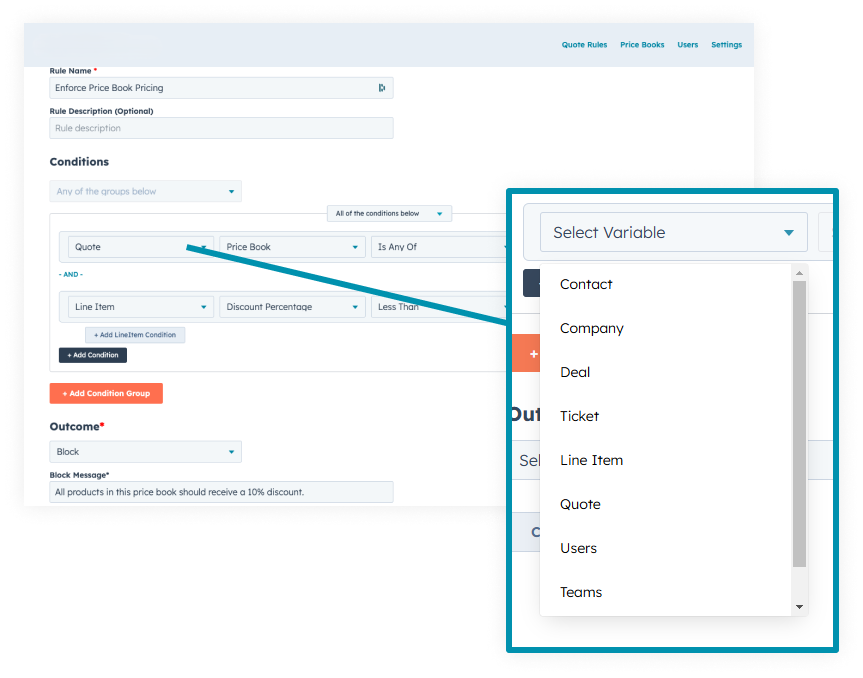
A rule reads what’s already in your CRM: standard HubSpot properties, custom objects, and CPQ special fields. So pricing can key off customer type, product selection, region, contract terms, deal size, or any detail on the quote. That gives RevOps a controlled way to run custom pricing, rather than every rep working out their own version of it in a spreadsheet or a one-off discount nobody can see.
The condition is where you decide what the rule watches. The outcome is what it does about it.
Set the outcome for every rule
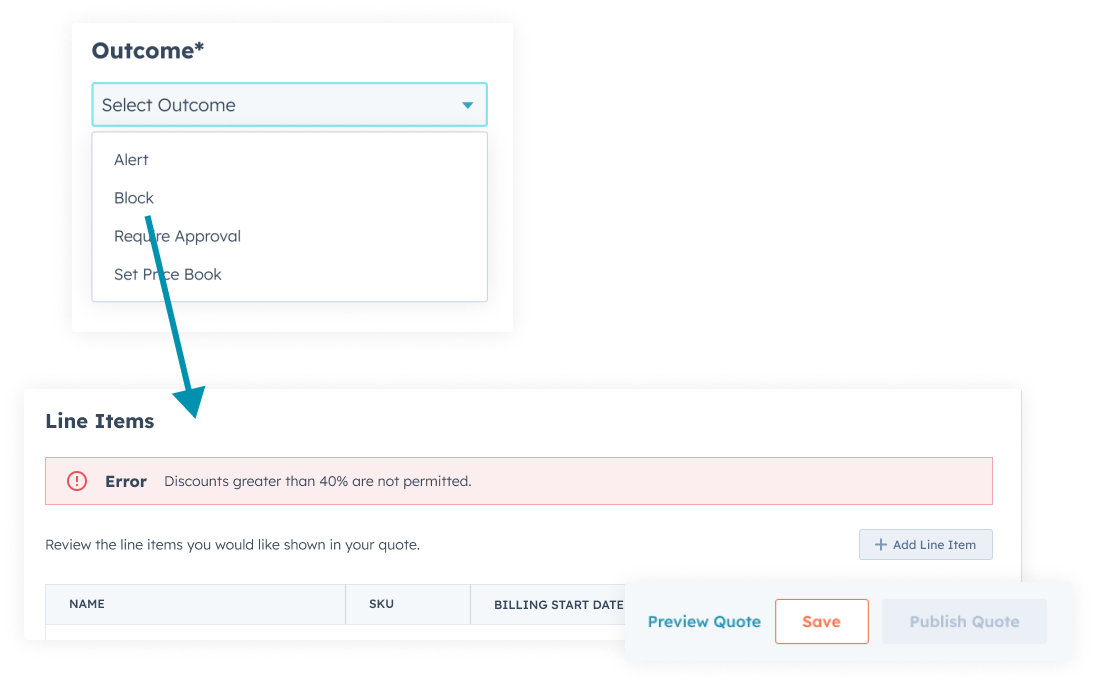
A rule’s outcome is whatever should happen once its condition is met: update a field, require approval, change a discount, apply a fee, or stop a quote that falls outside policy. Each outcome is tied to quote data and resolves in a defined order, which is what keeps the logic readable instead of a pile of rules recalculating against each other.
So a discount over your threshold doesn’t just get flagged. It updates the quote’s status, routes for sign-off, and holds the send, because that’s the outcome you set.
Make critical information mandatory, or not
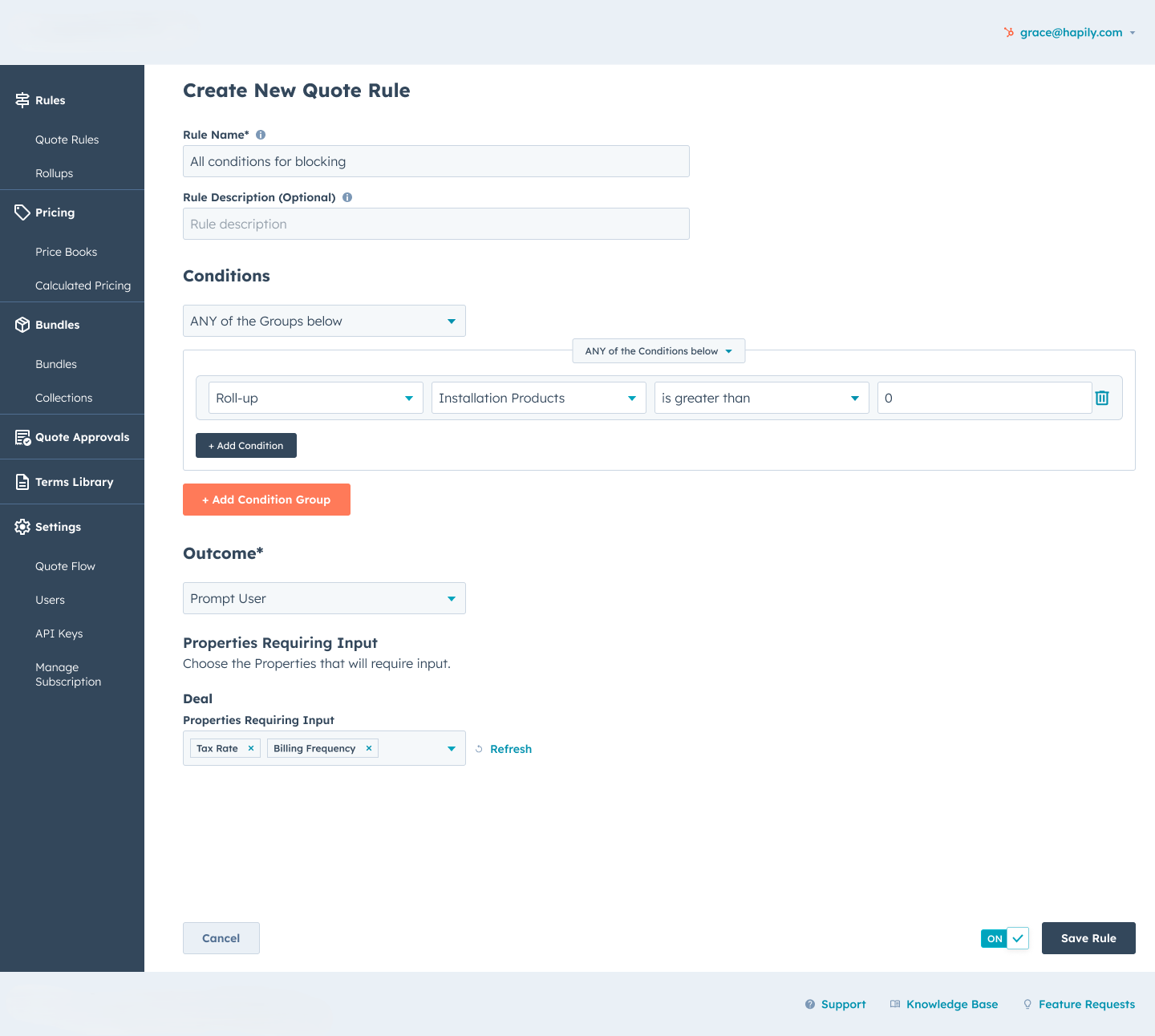
A rule can require a field only on the quotes it applies to. Prompt for a service date, a PO number, billing frequency, or an on-site contact based on the products or the deal size in front of the rep, and block the quote from moving until it’s filled in. The rep quoting something that doesn’t need those fields never sees them, so the quote stays short and the data still lands complete.
Run the pricing waterfall in order
List price, then volume and tier adjustments, then contract and special pricing, then discounts and fees, each applied in a defined sequence to a final total. The rule engine runs the same order on every quote, so the number is repeatable rather than a rep’s best guess, and finance can trace how the price got where it did.
Discount guardrails, in the flow
Discounting is where good intentions leak margin. A discount rule sets the ceiling a rep can move under on their own. Say the rule blocks anything past 40%: the moment a rep applies a bigger discount, they’re told on the spot, and the quote can’t send until it’s brought back in line or approved. Not blocked silently, not caught a week later by finance. The rep still moves fast under the ceiling. Only the exception stops.
Price rules in practice
A handful of rules teams put in on the first day:
- ✓ Apply a specific customer’s negotiated price automatically, every time their deal is quoted.
- ✓ Require approval when any line-item discount crosses your threshold.
- ✓ Add a regional fee based on the ship-to on the deal.
- ✓ Prompt for a PO number and a service date before a services quote can send.
Each one takes a decision off the rep and hands RevOps and finance real control, without a queue in front of every deal.
You might not need this
If your reps pick products off a list and apply one standard discount, native quoting already does that and you’re paying for it. Rules earn their money when pricing has real conditions (tiers, thresholds, fields that only apply sometimes) and the cost of getting one wrong is a quote you have to claw back.
It does
- ✓ Apply pricing, discount, and required-field rules as the quote is built
- ✓ Route exceptions to approval
- ✓ Resolve a pricing waterfall in a fixed order
- ✓ Assign the right price book
It doesn’t
- ✗ Decide your policy. A rule enforces the discount ceiling you set; it won’t tell you what the ceiling should be. That number is yours, and if it isn’t written down anywhere today, that’s the first conversation of onboarding.
Compliance that reps take because it’s faster
Sales reps are incentivized to stick to price book because they can get their deal out the door much faster.
Renée Durrance — RevOps, Aptarro
The rule isn’t a speed bump. When the compliant price is also the one already on the quote, reps take it because it’s faster.
Questions teams ask about CPQ price rules
-
What is optional pricing?
Optional pricing lets a rep include line items on a quote that the customer can choose to add or drop, priced correctly whether or not they’re selected, so an add-on doesn’t need a separate quote.
-
How do you set up a price rule in HubSpot-native CPQ?
In Quotivity Studio, under the Rules Engine, you define a condition (what the rule looks at on the deal or line item) and an outcome (set a price, cap a discount, require a field, route for approval). No code, admin-managed.
-
What is a price rule calculation loop?
It’s how rules that depend on each other resolve. The engine applies rules in sequence, feeding each result into the next, until the price settles. It’s what lets a waterfall run in a defined order rather than fighting itself.
-
How does a pricing waterfall work in a CPQ?
List price, then volume or tier adjustments, then contract pricing, then discounts, each applied in order to reach a final number. The rule engine runs the same sequence every time, so the math is repeatable instead of a rep’s best guess.
-
Can a rule enforce a maximum discount?
Yes. Set the ceiling a rep can discount to without sign-off; anything past it routes for approval before the quote can send.
One thing to bring
Show us the quote that got clawed back
The one with the price nobody caught until finance did. We’ll write the rule that would have stopped it.